🥋 DefectDojo and ASPM Platforms
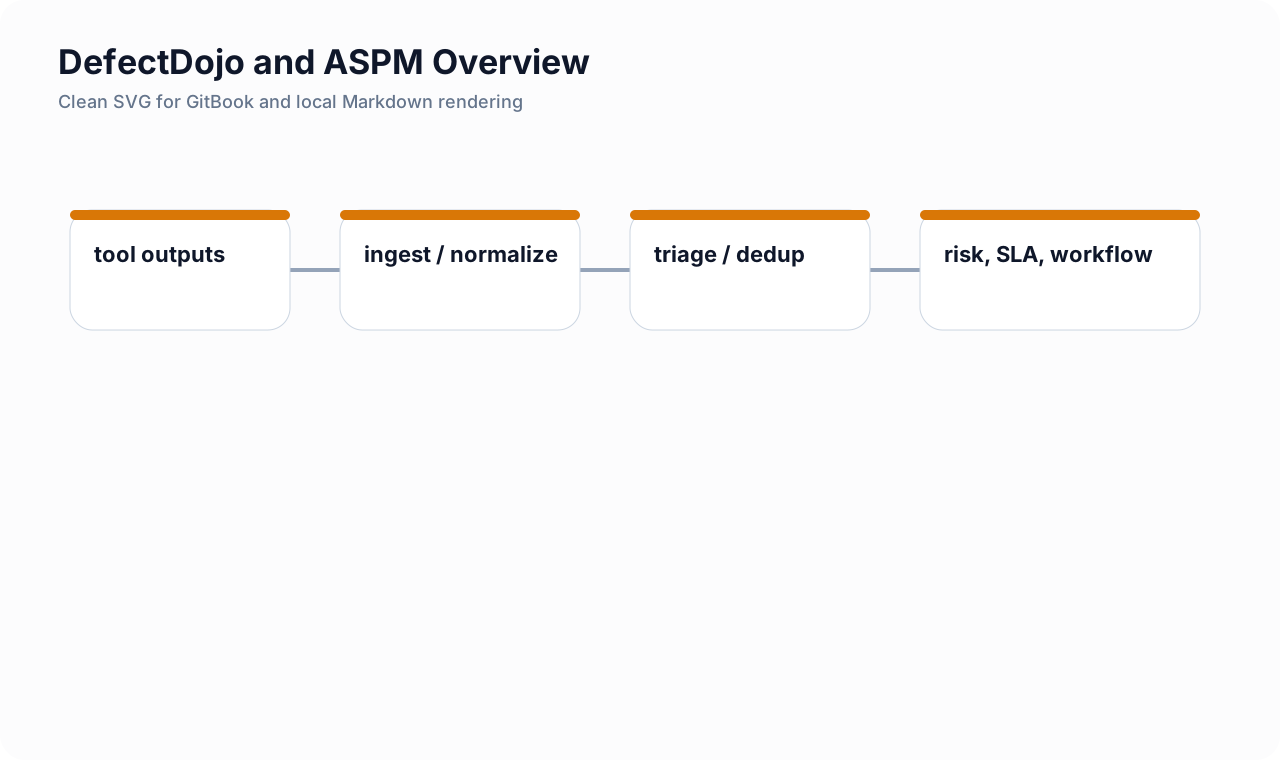
Intro: DefectDojo belongs to the class of platforms that sit above individual scanners and turn fragmented findings into a working security program. The point is not just to import reports. The real value comes from normalization, deduplication, triage, ownership, SLA management, reporting, and release-aware evidence.
What this page includes
- what DefectDojo is and where it fits in a Product Security stack
- the editions and deployment models you should know about
- open-source versus commercial tradeoffs
- a practical shortlist of comparable platforms
- installation paths, data model basics, and integration guidance
Working assumptions
- most teams already have scanners; the hard part is managing the output
- a vulnerability platform should lower coordination cost, not become another dashboard nobody trusts
🧭 Where DefectDojo fits
Think of DefectDojo as a finding operations layer for Product Security:
- scanners produce raw findings;
- DefectDojo ingests, normalizes, and deduplicates them;
- security and engineering teams triage and prioritize them;
- the platform records state transitions, risk acceptance, SLA status, and evidence;
- reporting becomes portfolio-aware instead of scanner-by-scanner.
This is why the tool is useful in both AppSec and DevSecOps contexts. It helps teams move from “we ran tools” to “we can explain what matters, what is fixed, what is accepted, and what is blocking release.”
🧱 What DefectDojo actually is
At its core, DefectDojo is:
- a unified vulnerability management platform;
- a DevSecOps workflow layer;
- an ASPM-style operating surface for organizations that use many scanners;
- a practical way to manage import/reimport, deduplication, triage, metrics, issue tracking, and program reporting.
That last point matters. Teams often buy or adopt scanners long before they build a coherent operating model. DefectDojo helps close that gap.
🗂️ Editions, versions, and deployment models
Editions you should know
In practice, most teams will see two product lines:
| Edition / model | Typical use |
|---|---|
| DefectDojo Open Source | good for smaller or cost-sensitive teams that want core importing, deduplication, REST API access, and self-hosting flexibility |
| DefectDojo Pro | good when you want enterprise connectors, enhanced reporting, premium support, more polished workflow automation, and commercial deployment options |
Deployment patterns
| Deployment pattern | Notes |
|---|---|
| Self-hosted Open Source | the most common technical starting point |
| DefectDojo Pro SaaS | fastest path when you want vendor-hosted operations and commercial support |
| DefectDojo Pro on-prem | for enterprises that need commercial features but cannot use SaaS |
Release thinking
There are two different ideas people mean when they say “version”:
- edition type: Open Source versus Pro
- release number: the current software tag or monthly/weekly release line
For planning, edition choice matters more than exact tag choice. For production pinning, exact release numbers matter and should be verified immediately before deployment because repository pages and docs can lag each other.
⚖️ Open source versus commercial: practical comparison
| Topic | Open Source | Pro / commercial |
|---|---|---|
| Core finding ingestion | strong | strong |
| REST API | yes | yes |
| Deduplication | yes | yes, with more enterprise-oriented workflow around scale |
| Reporting | enough for many smaller teams | better executive and portfolio reporting |
| Connectors | limited compared with Pro | stronger out-of-the-box connector model |
| Universal mapping for odd formats | limited | stronger via Universal Parser and Pro workflows |
| Support model | community | vendor support and implementation help |
| SSO / enterprise identity polish | more DIY | stronger commercial feature set |
| Best fit | builders, labs, lean teams | larger programs, multi-team governance, heavier reporting needs |
When Open Source is enough
Open Source is often enough when:
- you already have engineers who can own deployment and upgrades;
- you are fine with file-based imports and some API scripting;
- you want a central place for findings without a major procurement effort;
- the main goal is finding hygiene, not executive reporting sophistication.
When Pro is worth it
Commercial features are often worth it when:
- you want API pull connectors from scanners rather than only CI-upload patterns;
- you need a faster rollout with less platform engineering work;
- program leadership needs smoother portfolio views and reporting;
- enterprise identity, support, and vendor accountability matter.
💼 Why a company or product team benefits
For Product Security
- one place to reason about risk across products and scanners;
- less duplicate noise;
- easier risk acceptance and exception tracking;
- more coherent portfolio reporting.
For engineering teams
- findings become easier to assign and follow;
- repeated results can be handled through reimport instead of creating a new record every time;
- issue-tracker integration creates a more predictable remediation loop.
For leadership and audit
- clearer evidence of what was scanned, what changed, what is still open, and who approved exceptions;
- better support for release discussions, audit preparation, and compliance narratives.
🧠 How to think about the platform category
DefectDojo overlaps with what many vendors now describe as Application Security Posture Management or finding orchestration. Do not get stuck on category labels. The more useful question is:
does this platform reduce scanner chaos and help the organization make better security decisions faster?
That is the evaluation lens that matters.
🏁 Five notable platforms to compare in this class
This is a practical shortlist, not a universal ranking. These platforms solve similar program-level problems but from slightly different angles.
| Platform | Why teams look at it |
|---|---|
| DefectDojo | strong open-source base, flexible import model, widely used for unified vulnerability management and DevSecOps workflows |
| ArmorCode | strong ASPM positioning with broad integration and risk-correlation messaging |
| Brinqa | strong context-and-risk framing for AppSec posture and broader risk operations |
| Nucleus Security | strong unified exposure / vulnerability management model with prioritization and ownership automation |
| Seemplicity | strong remediation-operations angle, especially when the fixing workflow is the main bottleneck |
How to choose among them
Use these criteria:
- integration model — file import, API pull, connector maturity, CI ergonomics
- ownership model — can it map findings to teams, repos, apps, and environments cleanly?
- triage model — can it handle duplicates, suppressions, and risk acceptances without chaos?
- reporting model — can leadership trust the numbers?
- operating cost — who will maintain rules, upgrades, workflows, and exceptions?
🏗️ Installation paths
Recommended path: Docker Compose
For most self-hosted teams, Docker Compose is the lowest-friction way to get started. Use it to validate:
- the data model;
- import/reimport behavior;
- user roles and triage workflow;
- issue-tracker and CI integration patterns.
Representative bootstrap pattern:
# Example by Ivan Piskunov, 2026.
git clone https://github.com/DefectDojo/django-DefectDojo.git
cd django-DefectDojo

# Follow the release branch or tag you selected for production validation.
# Verify exact startup commands against the current upstream docs before pinning.
docker compose up -d
Recommended path: Kubernetes only after the workflow proves itself
Kubernetes can make sense for organizations that already operate the rest of the SDLC platform in Kubernetes. It is usually the second step, not the first, because:
- upgrades are more operationally complex;
- you still need to understand the product hierarchy and import model;
- platform overhead can distract from the actual adoption problem.
Settings discipline
A practical rule:
- do not patch product internals casually;
- use environment variables and documented local settings;
- keep customizations small and reviewable.
🧩 The data model you need to understand
DefectDojo works best when the hierarchy is intentional.
| Object | Practical meaning |
|---|---|
| Product Type | a broad grouping, such as “Customer-facing SaaS” or “Internal Platforms” |
| Product | the service, product line, application, or repo family you care about |
| Engagement | the testing effort or release context where data is grouped |
| Test | one scanner run or logical scan track inside an engagement |
| Finding | an individual security issue after ingestion and normalization |
A simple modeling rule
Start with one Product per real service or product boundary that leadership and engineering both recognize. Do not model everything as one giant product just because it is technically easier on day one.
🔁 Import versus reimport
This is one of the most important operating concepts in DefectDojo.
Use import when:
- you intentionally want a new, separate test or isolated run record;
- you want clean separation between runs.
Use reimport when:
- the same scanner repeatedly scans the same thing;
- you want the platform to compare old versus new results;
- you want issues to be created, closed, or reactivated as the evidence changes.
Reimport is usually the more practical CI/CD default because it keeps finding history coherent without producing a new mess every day.
🔌 Integration patterns by scanner type
1) SAST
Semgrep
Use Semgrep when you want a fast MR gate or reasonably high-signal source scanning.
semgrep_sast:
  stage: security
  image: semgrep/semgrep:latest
  script:
    - semgrep ci --config p/default --json --json-output=semgrep.json
  artifacts:
    when: always
    paths:
      - semgrep.json
Then send the report into DefectDojo:
curl -sS -X POST "$DEFECTDOJO_URL/api/v2/reimport-scan/" \
  -H "Authorization: Token $DEFECTDOJO_TOKEN" \
  -F "scan_type=Semgrep JSON Report" \
  -F "product_name=my-service" \
  -F "engagement_name=mainline-semgrep" \
  -F "test_title=semgrep-main" \
  -F "auto_create_context=true" \
  -F "file=@semgrep.json"
Bandit
Use Bandit when Python services are a real part of the portfolio, especially for unsafe calls and insecure library usage.
bandit -r src -f json -o bandit.json
Then upload:
curl -sS -X POST "$DEFECTDOJO_URL/api/v2/reimport-scan/" \
  -H "Authorization: Token $DEFECTDOJO_TOKEN" \
  -F "scan_type=Bandit" \
  -F "product_name=my-python-service" \
  -F "engagement_name=mainline-bandit" \
  -F "test_title=bandit-main" \
  -F "auto_create_context=true" \
  -F "file=@bandit.json"
SonarQube
Use SonarQube when you want code-quality plus security context, especially for hotspot review and quality gates. In DefectDojo, you can either:
- import supported SonarQube results through file/API methods;
- use the Pro connector model when that fits your operating model better.
2) DAST
OWASP ZAP
ZAP fits well for fast baseline or stage-level DAST.
docker run --rm -v "$PWD:/zap/wrk:rw" ghcr.io/zaproxy/zaproxy:stable \
  zap-baseline.py -t https://staging.example.com \
  -J /zap/wrk/zap.json \
  -r /zap/wrk/zap.html
Upload to DefectDojo:
curl -sS -X POST "$DEFECTDOJO_URL/api/v2/reimport-scan/" \
  -H "Authorization: Token $DEFECTDOJO_TOKEN" \
  -F "scan_type=Zed Attack Proxy" \
  -F "product_name=customer-api" \
  -F "engagement_name=staging-dast" \
  -F "test_title=zap-baseline" \
  -F "auto_create_context=true" \
  -F "file=@zap.xml"
Practical note: Keep baseline and deeper authenticated DAST as different tracks. Mixing them makes metrics noisy and confuses expectations around severity.
Burp Suite DAST / Burp XML
Burp is still a supported import path. The old DefectDojo Burp plugin is sunset, so modern practice is to import Burp reports through supported file or API methods.
3) SCA
OWASP Dependency-Check
Dependency-Check remains a useful SCA import source, especially when you want explicit package visibility and suppression tracking.
dependency-check.sh \
  --project "my-service" \
  --scan . \
  --format JSON \
  --out dependency-check-report
Upload:
curl -sS -X POST "$DEFECTDOJO_URL/api/v2/reimport-scan/" \
  -H "Authorization: Token $DEFECTDOJO_TOKEN" \
  -F "scan_type=Dependency Check" \
  -F "product_name=my-service" \
  -F "engagement_name=sca-main" \
  -F "test_title=dependency-check-main" \
  -F "auto_create_context=true" \
  -F "file=@dependency-check-report/dependency-check-report.json"
4) Secret detection
Gitleaks or detect-secrets
You can use secret detection as a standalone track or as a merge-request gate.
gitleaks detect \
  --source . \
  --report-format json \
  --report-path gitleaks.json
Or:
detect-secrets scan > .secrets.baseline
detect-secrets audit .secrets.baseline
In practice, keep secret detection separate from code-quality or generic SAST reporting. The remediation workflow is usually different.
5) Docker image vulnerability scanning
Trivy
Trivy is a practical default for container image scanning.
trivy image --format json --output trivy-image.json my-registry.example.com/app:${CI_COMMIT_SHA}
Then send the JSON to DefectDojo:
curl -sS -X POST "$DEFECTDOJO_URL/api/v2/reimport-scan/" \
  -H "Authorization: Token $DEFECTDOJO_TOKEN" \
  -F "scan_type=Trivy" \
  -F "product_name=my-service" \
  -F "engagement_name=image-security" \
  -F "test_title=trivy-image-main" \
  -F "auto_create_context=true" \
  -F "file=@trivy-image.json"
🛠️ Recommended GitLab operating pattern
A clean GitLab pattern usually looks like this:
- run scanner jobs and save machine-readable artifacts;
- make a gate job decide pass/fail for the pipeline;
- upload reports to DefectDojo using reimport;
- keep release approval logic in GitLab, not in DefectDojo;
- keep DefectDojo as the long-lived portfolio and evidence layer.
That separation reduces confusion:
- GitLab decides whether this release moves;
- DefectDojo decides how findings are tracked over time.
🚫 Common anti-patterns
Treating it like a dashboard only
If the platform has no triage discipline, no ownership model, and no reimport logic, it turns into another place to ignore findings.
Modeling the hierarchy too loosely
If everything is one Product and one Engagement, the reporting becomes hard to trust.
Mixing every scan into one giant track
Keep different scan types logically separated. That makes trends more meaningful and deduplication behavior easier to reason about.
Letting legacy debt block all delivery
Use a stronger policy for new code and a governed backlog approach for historical debt. Otherwise teams will start bypassing the system.
✅ Recommended rollout plan
Phase 1 — prove the workflow
- deploy a small self-hosted instance;
- model two or three real products;
- connect Semgrep, Bandit, Dependency-Check, ZAP, and Trivy;
- test reimport behavior and triage conventions.
Phase 2 — stabilize governance
- define ownership mapping;
- define severity-to-SLA rules;
- define risk-acceptance workflow;
- agree on reporting views leadership will actually use.
Phase 3 — scale and automate
- add ticketing integration;
- add connector-based imports where useful;
- add policy around release evidence and exception reviews.
Cross-links
- Security Quality Gates and Release Blocking
- GitLab CI YAML Deep Dive
- 🥋 DefectDojo Integration Patterns
- SAST Noise Reduction