🐙 OPA and Policy Enforcement
Intro: Open Policy Agent (OPA) lets teams separate policy decisions from application and infrastructure logic. That separation matters when Product Security wants consistent, testable, reviewable controls instead of one-off exceptions hidden in scripts or platform UIs.
What this page includes
- what OPA is and where it fits
- vendor-neutral architecture
- installation and first test
- Kubernetes and CI integration patterns
- example Rego, Gatekeeper templates, and rollout guidance
Working assumptions
- policy should be versioned, reviewed, tested, and promoted like code
- Kubernetes admission control is one of the highest-value places to start
- OPA is most effective when paired with a clear ownership model
What OPA is
OPA is a general-purpose policy engine that evaluates structured input against rules written in Rego. It is commonly used for:
- Kubernetes admission decisions;
- Terraform and infrastructure plan checks;
- API authorization decisions;
- gateway or sidecar policy checks;
- compliance and secure-default guardrails in CI/CD.
What OPA is for
OPA answers questions such as:
- should this deployment be allowed?
- should this container image be admitted?
- may this user access this object?
- does this Terraform plan violate guardrails?
- does this API request meet contextual authorization policy?
Where OPA fits in the stack
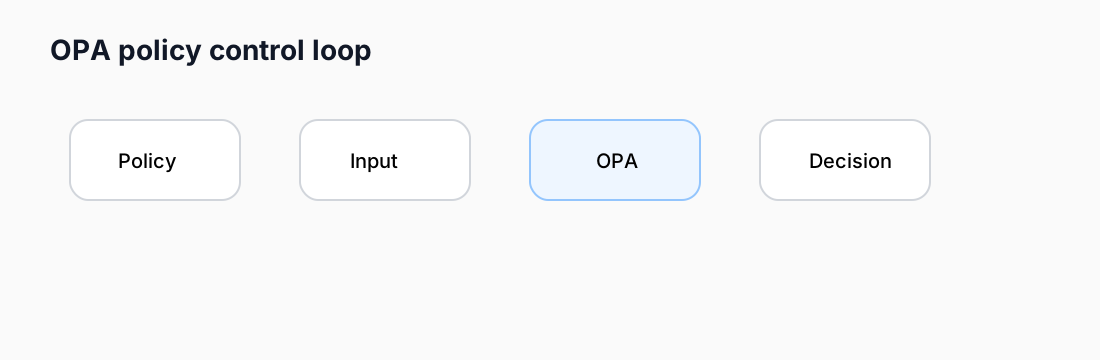
A simple mental model:
- Application or platform sends input;
- OPA evaluates the policy;
- Decision is allow/deny/annotations/data result;
- Control plane distributes policies, test cases, and sometimes logs or bundles.
Notable vendor-backed products in this space
These are three notable products to evaluate around OPA and the broader policy-as-code space:
| Vendor | Product | Positioning |
|---|---|---|
| Styra | Styra DAS / Enterprise OPA | centralized policy lifecycle and management built on OPA |
| Aserto | Topaz / Aserto Authorizer | authorization service that uses OPA with a control plane and local authorizer model |
| HashiCorp | Sentinel | adjacent policy-as-code framework for HashiCorp products; not OPA, but often evaluated alongside OPA |
Why this matters: security leaders often need both the engine and the operating model. Open-source OPA solves the engine problem. Products such as Styra DAS and Aserto help with distribution, policy lifecycle, governance, and developer workflow. Sentinel is relevant when Terraform-centric policy is the main driver.
Install OPA locally
Binary
brew install opa
opa version
Direct binary download
curl -L -o opa https://openpolicyagent.org/downloads/latest/opa_linux_amd64
chmod 755 ./opa
./opa version
Docker
docker run --rm -it openpolicyagent/opa:latest version
First working policy
Create allow.rego:
package authz

default allow := false

allow if {
  input.user == "alice"
  input.action == "read"
  input.resource == "docs"
}
Evaluate it:
opa eval -d allow.rego -I 'data.authz.allow' <<'EOF'
{"user":"alice","action":"read","resource":"docs"}
EOF
Expected result: true.
See:
Test the policy
Create tests in allow_test.rego:
package authz_test

import data.authz

test_allow_read if {
  authz.allow with input as {"user":"alice","action":"read","resource":"docs"}
}
Run:
opa test .
See opa-test.rego.
Integrating OPA into Kubernetes
There are two main patterns:
1. Gatekeeper
Best for many teams starting with Kubernetes admission controls.
Capabilities:
- constraint templates;
- constraint objects;
- audit;
- native Kubernetes CRDs;
- policy enforcement at admission time.
2. Plain OPA + webhook / sidecar
Useful when you need more custom integration, external decision APIs, or a management plane pattern.
Install Gatekeeper
YAML install
kubectl apply -f https://raw.githubusercontent.com/open-policy-agent/gatekeeper/v3.21.0/deploy/gatekeeper.yaml
Helm install
helm repo add gatekeeper https://open-policy-agent.github.io/gatekeeper/charts
helm install gatekeeper/gatekeeper --name-template=gatekeeper --namespace gatekeeper-system --create-namespace
Basic Gatekeeper example
ConstraintTemplate
apiVersion: templates.gatekeeper.sh/v1
kind: ConstraintTemplate
metadata:
  name: k8srequiredlabels
spec:
  crd:
    spec:
      names:
        kind: K8sRequiredLabels
  targets:
    - target: admission.k8s.gatekeeper.sh
      rego: |
        package k8srequiredlabels
        violation[{"msg": msg}] {
          required := {"owner", "data-classification"}
          provided := {label | label := input.review.object.metadata.labels[_]}
          missing := required - provided
          count(missing) > 0
          msg := sprintf("missing labels: %v", [missing])
        }
Constraint
apiVersion: constraints.gatekeeper.sh/v1beta1
kind: K8sRequiredLabels
metadata:
  name: must-have-owner-and-data-classification
spec:
  match:
    kinds:
      - apiGroups: [""]
        kinds: ["Namespace"]
See:
What to enforce first
Good first policies:
- require approved image registries;
- require resource requests and limits;
- require ownership and data-classification labels;
- deny privileged containers unless an exception path exists;
- restrict host namespaces and hostPath volume usage.
How to test that OPA or Gatekeeper works
Local OPA
- run
opa version; - run
opa evalagainst a simple policy; - run
opa test .against a small suite.
Kubernetes admission
- create a policy that should deny a simple object;
- apply a resource that violates the policy;
- confirm the API server denies the request with the expected message;
- review Gatekeeper audit results for existing resources.
Common integration patterns
| Integration point | What OPA evaluates |
|---|---|
| Kubernetes admission | resource manifests at create/update time |
| Terraform plan checks | planned resources and attributes before apply |
| API gateway / service authz | request context, identity, attributes |
| CI policy step | config files, manifests, generated plans |
| Control-plane governance | policy bundles, logs, rollout state |
Implementation plan
- choose one high-value domain: Kubernetes admission or Terraform;
- define 5 to 10 baseline policies;
- create test cases and expected outcomes;
- deploy in audit or warn mode first;
- move the highest-confidence policies to enforce mode;
- add exception handling with owner and expiry;
- publish metrics: denied requests, exception debt, policy coverage, policy test pass rate.
Cross-links
- Kubernetes RBAC and ABAC
- 🛡️ Security as Policy for Terraform and Infrastructure as Code
- Network Policy Patterns