🥋 DefectDojo Integration Patterns
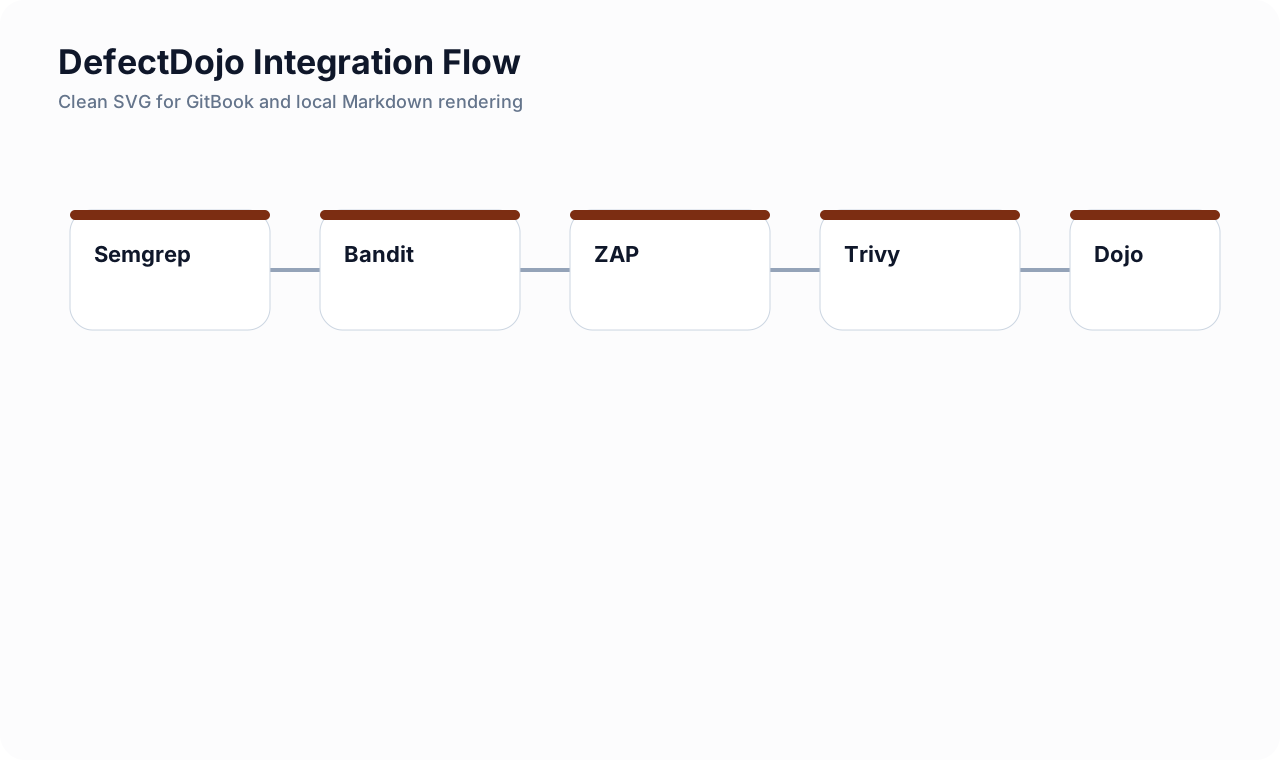
Intro: The best DefectDojo integration is usually boring in the best possible way. Scanner jobs generate clean machine-readable artifacts, a gate job makes a release decision, and a small upload step reimports results into the right product hierarchy.
What this page includes
- GitLab-first patterns for pushing findings into DefectDojo
- sample upload snippets for SAST, DAST, SCA, secrets, and container image results
- naming conventions and hierarchy guidance that keep the platform usable
Working assumptions
- GitLab is your release control plane
- DefectDojo is your durable finding and evidence layer
🧱 Integration design principles
Use artifacts first, uploads second.
Every scanner should save a machine-readable report as an artifact before you push it anywhere else.Prefer reimport for recurring scans.
Reimport keeps history meaningful and avoids creating new clutter every day.Keep release gating separate from finding storage.
A failing pipeline should fail because of your gate logic, not because the upload step had a transient API problem.Keep scan types distinct.
One engagement can host multiple tests, but do not jam unrelated outputs into one pseudo-scan.
Naming model that scales
A simple naming pattern:
| Field | Pattern |
|---|---|
| Product | real service or product name |
| Engagement | the scan lane or delivery context, such as mainline-sast, staging-dast, or image-security |
| Test title | short scanner-specific title, such as semgrep-main or trivy-release-image |
This keeps reporting readable while still making automation easy.
Example GitLab pipeline pattern
stages:
  - build
  - security
  - quality_gate
  - evidence

semgrep_sast:
  stage: security
  image: semgrep/semgrep:latest
  script:
    - semgrep ci --config p/default --json --json-output=semgrep.json
  artifacts:
    when: always
    paths: [semgrep.json]

bandit_python:
  stage: security
  image: python:3.12-alpine
  script:
    - pip install bandit
    - bandit -r src -f json -o bandit.json
  artifacts:
    when: always
    paths: [bandit.json]

zap_baseline:
  stage: security
  image: ghcr.io/zaproxy/zaproxy:stable
  script:
    - zap-baseline.py -t "$DAST_TARGET" -J zap.json -r zap.html || true
  artifacts:
    when: always
    paths: [zap.json, zap.html]

trivy_image:
  stage: security
  image: aquasec/trivy:latest
  script:
    - trivy image --format json --output trivy-image.json "$IMAGE_REF"
  artifacts:
    when: always
    paths: [trivy-image.json]

security_gate:
  stage: quality_gate
  image: python:3.12-alpine
  needs:
    - semgrep_sast
    - bandit_python
    - zap_baseline
    - trivy_image
  script:
    - python3 snippets/ci/aggregate-security-gate.py
  artifacts:
    when: always
    paths:
      - security-gate-summary.json
      - security-gate-summary.md

upload_to_defectdojo:
  stage: evidence
  image: curlimages/curl:8.8.0
  needs:
    - semgrep_sast
    - bandit_python
    - zap_baseline
    - trivy_image
  rules:
    - if: '$CI_COMMIT_BRANCH == $CI_DEFAULT_BRANCH || $CI_PIPELINE_SOURCE == "merge_request_event"'
  script:
    - sh snippets/defectdojo/upload-semgrep.sh
    - sh snippets/defectdojo/upload-bandit.sh
    - sh snippets/defectdojo/upload-zap.sh
    - sh snippets/defectdojo/upload-trivy.sh
Why this pattern is healthy
- the gate job is the release decision;
- the upload job is evidence and tracking, not the decision maker;
- transient API issues do not silently change your gate policy;
- each scanner stays inspectable as its own artifact.
🧪 Example upload snippets
Semgrep
#!/usr/bin/env sh
set -eu

curl -sS -X POST "$DEFECTDOJO_URL/api/v2/reimport-scan/" \
  -H "Authorization: Token $DEFECTDOJO_TOKEN" \
  -F "scan_type=Semgrep JSON Report" \
  -F "product_name=$DD_PRODUCT" \
  -F "engagement_name=mainline-sast" \
  -F "test_title=semgrep-main" \
  -F "auto_create_context=true" \
  -F "close_old_findings=false" \
  -F "file=@semgrep.json"
Bandit
#!/usr/bin/env sh
set -eu

curl -sS -X POST "$DEFECTDOJO_URL/api/v2/reimport-scan/" \
  -H "Authorization: Token $DEFECTDOJO_TOKEN" \
  -F "scan_type=Bandit" \
  -F "product_name=$DD_PRODUCT" \
  -F "engagement_name=python-sast" \
  -F "test_title=bandit-main" \
  -F "auto_create_context=true" \
  -F "file=@bandit.json"
SonarQube via API-driven import
If you use the SonarQube API import model, create a Tool Configuration in DefectDojo and keep the upload step small. That is often cleaner than inventing a custom export path.
ZAP
#!/usr/bin/env sh
set -eu

# Many teams generate XML for import and HTML for humans.
curl -sS -X POST "$DEFECTDOJO_URL/api/v2/reimport-scan/" \
  -H "Authorization: Token $DEFECTDOJO_TOKEN" \
  -F "scan_type=Zed Attack Proxy" \
  -F "product_name=$DD_PRODUCT" \
  -F "engagement_name=staging-dast" \
  -F "test_title=zap-baseline" \
  -F "auto_create_context=true" \
  -F "file=@zap.xml"
Dependency-Check
#!/usr/bin/env sh
set -eu

curl -sS -X POST "$DEFECTDOJO_URL/api/v2/reimport-scan/" \
  -H "Authorization: Token $DEFECTDOJO_TOKEN" \
  -F "scan_type=Dependency Check" \
  -F "product_name=$DD_PRODUCT" \
  -F "engagement_name=mainline-sca" \
  -F "test_title=dependency-check-main" \
  -F "auto_create_context=true" \
  -F "file=@dependency-check-report/dependency-check-report.json"
Gitleaks or GitLab secret detection
#!/usr/bin/env sh
set -eu

curl -sS -X POST "$DEFECTDOJO_URL/api/v2/reimport-scan/" \
  -H "Authorization: Token $DEFECTDOJO_TOKEN" \
  -F "scan_type=Gitleaks" \
  -F "product_name=$DD_PRODUCT" \
  -F "engagement_name=secret-detection" \
  -F "test_title=gitleaks-main" \
  -F "auto_create_context=true" \
  -F "file=@gitleaks.json"
Trivy image scan
#!/usr/bin/env sh
set -eu

curl -sS -X POST "$DEFECTDOJO_URL/api/v2/reimport-scan/" \
  -H "Authorization: Token $DEFECTDOJO_TOKEN" \
  -F "scan_type=Trivy" \
  -F "product_name=$DD_PRODUCT" \
  -F "engagement_name=image-security" \
  -F "test_title=trivy-release-image" \
  -F "auto_create_context=true" \
  -F "file=@trivy-image.json"
🧭 Practical rules for DAST, SAST, SCA, secrets, and image findings
Keep scan lanes separate
Good separation looks like this:
| Lane | Recommended engagement |
|---|---|
| Semgrep / Bandit / code SAST | mainline-sast |
| SonarQube / hotspot review | quality-and-hotspots |
| Dependency-Check / SCA | mainline-sca |
| Secret detection | secret-detection |
| ZAP / Burp / runtime testing | staging-dast |
| Trivy image scan | image-security |
This makes trends and SLA views much easier to interpret.
Keep branch and environment context small but consistent
Useful metadata to preserve:
- branch or MR identifier;
- commit SHA;
- release tag;
- environment tag such as
stagingorprod-candidate.
Avoid inventing too many custom labels unless someone actually uses them.
📦 Docker Compose notes
For a fast lab or small-team rollout, Docker Compose is still the easiest bootstrap path. Use the upstream compose and add minimal overrides rather than building a snowflake installation.
Representative override example:
services:
  nginx:
    restart: unless-stopped
  uwsgi:
    restart: unless-stopped
    environment:
      DD_CELERY_BROKER_URL: redis://redis:6379/0
  celeryworker:
    restart: unless-stopped
  celerybeat:
    restart: unless-stopped
Practical note: Keep overrides focused on environment, storage, SMTP, and auth. Do not over-customize the platform before your workflow is stable.
☸️ Kubernetes / Helm notes
Kubernetes is a valid next step when the operating model is already proven.
Representative values snippet:
django:
  replicas: 2

celery:
  worker:
    replicas: 2

extraConfigs:
  DD_SITE_URL: "https://dojo.example.com"

# Keep secrets in your cluster secret manager or external secret workflow.
extraSecrets:
  DD_SECRET_KEY: "replace-me"
📈 Recommended rollout sequence
- start with file-based uploads in CI;
- stabilize product hierarchy and naming;
- agree on dedup and SLA behavior;
- add ticketing integration;
- only then decide whether connectors or commercial workflows are worth it.
🚫 Common mistakes
Using one giant product for everything
This makes ownership and metrics less trustworthy.
Uploading scanner output without reviewing parser expectations
Always validate a few real files first. Field names, formats, and exporter settings matter.
Mixing release decisions with upload success
A failed API upload should not silently allow a bad release or block a good one. Keep those control planes separate.
Letting exceptions live only in chat or tickets
If a finding is accepted or suppressed, the platform needs to reflect that decision.
Cross-links
- 🥋 DefectDojo and ASPM Platforms
- Security Quality Gates and Release Blocking
- GitLab Release Evidence
- GitLab CI YAML Deep Dive