Runner Isolation and Trust Boundaries
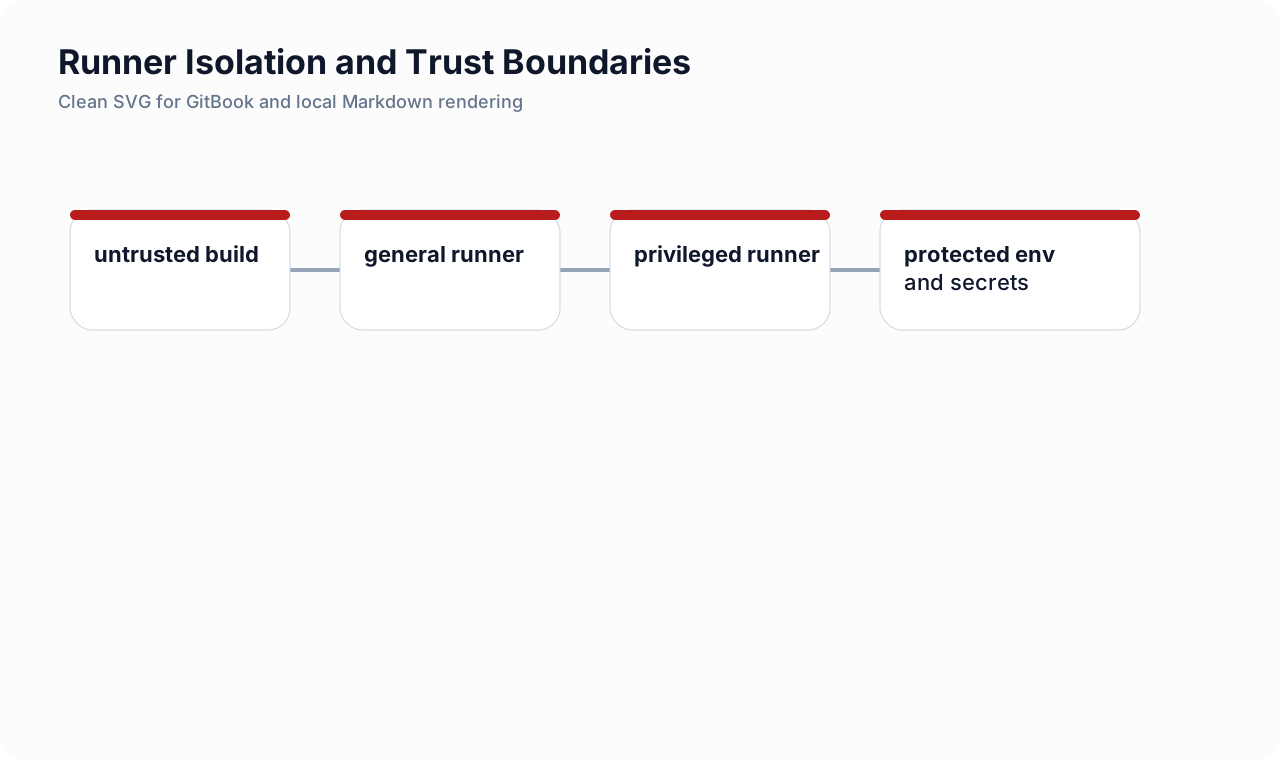
Intro: A GitLab runner is not just a worker. It is the machine or pod where untrusted repository-defined code actually executes. That makes runner design one of the most important trust decisions in the entire delivery stack.
What this page includes
- why runner isolation matters in a security-first pipeline
- practical isolation patterns for project, group, and environment tiers
- configuration examples for Docker and Kubernetes runners
- common anti-patterns that quietly break trust boundaries
Working assumptions
- pipeline jobs should be treated as remote code execution requests
- the more shared and persistent the runner is, the more carefully it must be constrained
Why runner isolation matters
If a developer can change .gitlab-ci.yml, that developer can usually change the code a runner executes. In practice, that means the runner is part of your attack surface.
Questions that matter immediately:
- can one project's job read leftovers from another project?
- can a merge request from an untrusted fork reach secrets, cloud credentials, or deployment networks?
- can a compromised job poison cache, artifacts, or container layers used elsewhere?
- can an attacker pivot from the runner into internal services?
The right isolation model limits blast radius before a scanner even runs.
Design principles
| Principle | What it means |
|---|---|
| ephemeral execution first | prefer fresh VMs or short-lived pods over long-lived shared hosts |
| trust-tiered runners | keep production deploy runners separate from build/test runners |
| narrow network reach | most jobs do not need lateral reach into private control planes |
| minimal credential exposure | secrets should appear only in jobs on trusted refs and trusted runners |
| explicit routing | use tags, protected refs, and project/group scope to make job placement predictable |
Trust tiers that work well
Tier 1: general CI
Use for lint, unit tests, packaging, and low-risk scanners.
Characteristics:
- ephemeral containers or pods;
- no production network reach;
- no cloud-admin credentials;
- safe for broad internal engineering use.
Tier 2: privileged build
Use only if image building or privileged operations truly require it.
Characteristics:
- isolated from general CI;
- tightly scoped to a smaller project set;
- reviewed images and base tooling;
- no direct production deploy rights.
Tier 3: release and deploy
Use for staging or production deployment jobs only.
Characteristics:
- protected refs only;
- protected environments only;
- stronger approvals;
- highly constrained secrets and cloud roles;
- minimal job set.
Anti-patterns to avoid
- shared shell runners for many unrelated projects;
- persistent workspaces with no cleanup;
- broad outbound access from every runner to internal registries, cloud control planes, and databases;
- deploy credentials available to MR pipelines;
- untagged jobs on mixed-trust runners;
- cache sharing across incompatible trust zones.
GitLab routing example with trust-tier tags
default:
  image: alpine:3.20
  tags:
    - ci-general

stages:
  - lint
  - test
  - package
  - deploy

lint:
  stage: lint
  script:
    - apk add --no-cache shellcheck
    - shellcheck scripts/*.sh

unit_tests:
  stage: test
  script:
    - ./scripts/run-tests.sh

package_image:
  stage: package
  tags:
    - ci-build
  rules:
    - if: '$CI_COMMIT_BRANCH == $CI_DEFAULT_BRANCH'
  script:
    - ./scripts/build-image.sh

deploy_prod:
  stage: deploy
  tags:
    - ci-deploy-prod
  environment:
    name: production
  rules:
    - if: '$CI_COMMIT_TAG'
  when: manual
  script:
    - ./scripts/deploy-prod.sh
Interpretation:
- general jobs land on the broad low-risk runner pool;
- build jobs require a tighter pool;
- production deploy jobs are routed to a dedicated deploy runner.
Protecting production deploy jobs
Combine three controls, not one:
- protected refs;
- protected environments;
- dedicated runner tags or runner scope.
That way, even if someone copies the deploy job name into an unsafe pipeline, the job still does not gain meaningful execution rights.
Example: only expose secrets on trusted refs
deploy_prod:
  stage: deploy
  tags: [ci-deploy-prod]
  rules:
    - if: '$CI_COMMIT_TAG =~ /^v\d+\.\d+\.\d+$/'
    - when: never
  environment:
    name: production
  script:
    - test -n "$AWS_ROLE_ARN"
    - ./scripts/assume-release-role.sh
    - ./scripts/deploy-prod.sh
Use GitLab protected variables and environment-scoped variables so the job receives credentials only when both the ref and the environment are trusted.
Example Docker executor stance
A minimal config.toml shape for a Docker-based runner:
concurrent = 4
check_interval = 0

[[runners]]
  name = "group-build-ephemeral"
  url = "https://gitlab.example.com"
  token = "REDACTED"
  executor = "docker"
  environment = ["FF_USE_FASTZIP=true"]
  [runners.docker]
    image = "alpine:3.20"
    privileged = false
    tls_verify = true
    disable_cache = true
    shm_size = 0
    pull_policy = "always"
    volumes = ["/cache"]
    allowed_pull_policies = ["always", "if-not-present"]
Hardening notes:
- keep
privileged = falseunless you have a narrow, reviewed exception; - use
pull_policy = "always"for fresher images in sensitive jobs; - disable unnecessary shared state;
- avoid mounting broad host paths into job containers.
Example Kubernetes runner stance
[[runners]]
  name = "prod-deploy-k8s"
  url = "https://gitlab.example.com"
  token = "REDACTED"
  executor = "kubernetes"

  [runners.kubernetes]
    image = "alpine:3.20"
    namespace = "gitlab-runners-prod"
    service_account = "gitlab-runner-prod"
    pull_policy = "always"
    poll_timeout = 600
    privileged = false
    cpu_limit = "1000m"
    memory_limit = "1Gi"
    helper_cpu_limit = "300m"
    helper_memory_limit = "256Mi"
Kubernetes runners pair well with isolation when:
- each trust tier uses a separate namespace;
- service accounts are tightly scoped;
- node placement and egress are restricted;
- secrets are mounted only for eligible jobs.
Cache and artifact discipline
A runner model can still leak trust through shared cache or artifact reuse.
Safer defaults:
- separate cache keys by project and branch protection level;
- avoid passing build outputs from untrusted pipelines into release pipelines;
- use
needs:and explicit artifacts, not informal workspace assumptions.
cache:
  key: "${CI_PROJECT_PATH_SLUG}-${CI_COMMIT_REF_PROTECTED}-${CI_JOB_STAGE}"
  paths:
    - .cache/pip
The CI_COMMIT_REF_PROTECTED dimension helps separate protected-ref and non-protected-ref cache lines.
Network reach checklist
For every runner tier, decide deliberately:
- does it need internet egress?
- does it need registry access?
- does it need cloud control-plane access?
- does it need cluster API reach?
- does it need database reach?
Most general CI jobs need far less connectivity than teams initially grant.
A practical isolation rollout plan
- inventory all runners and classify them by executor, scope, and job types;
- identify which runners can touch production-facing secrets or networks;
- split general CI from build and deploy tiers;
- protect deploy refs and environments;
- make cache, artifact, and network boundaries explicit;
- review exceptions such as privileged builds separately.
Cross-links
- GitLab CI YAML Deep Dive
- Protected Environments and Deployment Approvals
- Reusable GitLab Includes and Components
- Security Quality Gates and Release Blocking
- AWS IAM and Role Design