👥 Kubernetes RBAC and ABAC
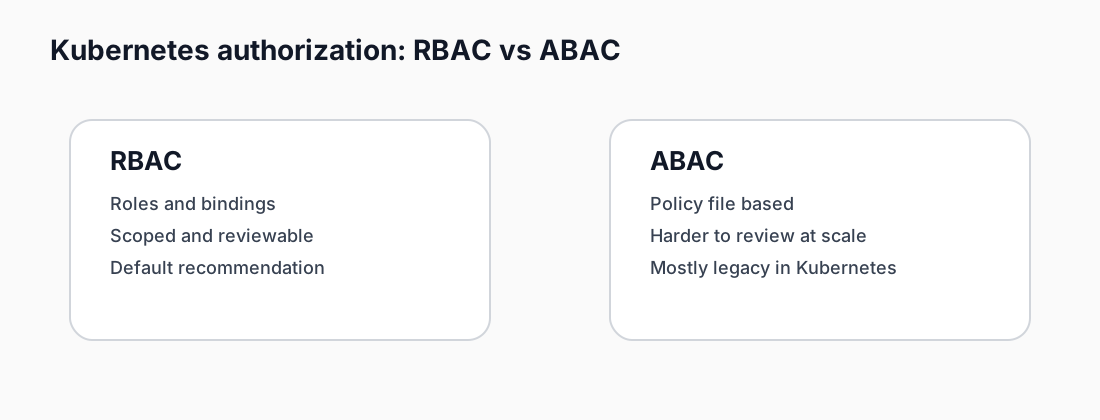
Intro: Kubernetes authorization is where platform intent becomes operational reality. If identity is weak or authorization is too broad, every later control becomes less trustworthy.
What this page includes
- the difference between RBAC and ABAC
- the core Kubernetes objects involved
- practical YAML and policy examples
- rollout guidance and common mistakes
Working assumptions
- RBAC should be the normal model for day-to-day cluster authorization
- ABAC is mainly relevant in legacy or specialized control-plane situations
- least privilege must cover both humans and service accounts
Quick comparison
| Topic | RBAC | ABAC |
|---|---|---|
| Policy storage | Kubernetes API objects | local policy file on API server |
| Change workflow | dynamic, via API | static-ish, file-based |
| Main objects | Role, ClusterRole, RoleBinding, ClusterRoleBinding | JSON policy records |
| Operational fit | modern, auditable, automatable | harder to scale and review |
| Typical use today | default enterprise choice | legacy or narrowly constrained cases |
RBAC fundamentals
RBAC uses four primary objects:
- Role: permissions within a namespace;
- ClusterRole: cluster-scoped or reusable permissions;
- RoleBinding: attaches a Role or ClusterRole to a subject in one namespace;
- ClusterRoleBinding: attaches a ClusterRole across the cluster.
Minimal read-only Role
apiVersion: rbac.authorization.k8s.io/v1
kind: Role
metadata:
  name: app-readonly
  namespace: payments
rules:
  - apiGroups: [""]
    resources: ["pods", "services", "configmaps"]
    verbs: ["get", "list", "watch"]
Bind the Role to a group
apiVersion: rbac.authorization.k8s.io/v1
kind: RoleBinding
metadata:
  name: app-readonly-binding
  namespace: payments
subjects:
  - kind: Group
    name: sre-readers
    apiGroup: rbac.authorization.k8s.io
roleRef:
  kind: Role
  name: app-readonly
  apiGroup: rbac.authorization.k8s.io
See snippets:
RBAC design guidance
Good patterns
- separate view, operate, and admin personas;
- prefer namespace-scoped Roles first;
- create reusable ClusterRoles only when needed;
- bind groups rather than individual users where possible;
- review ServiceAccount permissions just as carefully as human permissions.
Common mistakes
- binding
cluster-adminfor convenience; - sharing one ServiceAccount across many workloads;
- granting secrets access to jobs that only need configmaps;
- forgetting that controllers and operators may need narrowly scoped write permissions.
ABAC fundamentals
ABAC in Kubernetes is file-driven. Policies are evaluated from a file that contains one JSON object per line.
Example ABAC policy line
{"apiVersion":"abac.authorization.kubernetes.io/v1beta1","kind":"Policy","spec":{"user":"alice","namespace":"payments","resource":"pods","readonly":true}}
This means:
- the subject is
alice; - the scope is namespace
payments; - the target resource is
pods; - access is read-only.
See abac-policy.jsonl for a fuller example.
Why ABAC is harder to operate
ABAC can work, but it creates friction:
- policy lives outside normal Kubernetes API workflows;
- code review and inventory are harder unless you build strong file management around it;
- blast radius is easy to underestimate when policy files grow organically;
- migration and testing discipline are often weaker than with RBAC objects.
When ABAC still appears
- older self-managed clusters;
- highly customized control plane deployments;
- transitional migrations where RBAC is being phased in.
How to test authorization
Useful commands:
kubectl auth can-i get pods -n payments --as=alice
kubectl auth can-i create deployments -n payments --as=system:serviceaccount:payments:ci-bot
kubectl auth reconcile -f rbac-readonly-role.yaml
Recommended rollout plan
- inventory human identities, groups, and ServiceAccounts;
- define common personas such as read-only, operator, deployment-bot, and admin;
- implement namespace Roles first;
- review escalations and wildcard rules;
- add periodic access reviews to the platform cadence.
Cross-links